



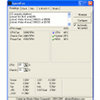
 SpeedFan is a program that monitors voltages, fan speeds and temperatures in computers with hardware monitor chips. SpeedFan can even access S.M.A.R.T. info and show hard disk temperatures. SpeedFan supports SCSI
disks too. SpeedFan can even change the FSB on some hardware (but
this should be considered a bonus feature). SpeedFan can access
digital temperature sensors and can change fan speeds accordingly, thus reducing noise. SpeedFan works fine with Windows 9x, ME, NT, 2000, 2003, XP, Vista, Windows 7, 2008, Windows 8 and Windows Server 2012. It works with Windows 64 bit too.
SpeedFan is a program that monitors voltages, fan speeds and temperatures in computers with hardware monitor chips. SpeedFan can even access S.M.A.R.T. info and show hard disk temperatures. SpeedFan supports SCSI
disks too. SpeedFan can even change the FSB on some hardware (but
this should be considered a bonus feature). SpeedFan can access
digital temperature sensors and can change fan speeds accordingly, thus reducing noise. SpeedFan works fine with Windows 9x, ME, NT, 2000, 2003, XP, Vista, Windows 7, 2008, Windows 8 and Windows Server 2012. It works with Windows 64 bit too. 
Hover on the icons to read more about specific SpeedFan features.


What is SpeedFan
SpeedFan lets you take a deeper view at the status of your computer. Almost
every computer includes support for hardware monitoring. Accessing digital temperature sensors
is really useful. If you are trying to figure out why your PC hangs when under heavy load
or after some hours of usage, SpeedFan might help you find the real cause. Very often it is a poor
power supply, or an improperly installed heatsink that lead to behaviours that we tend to associate (incorrectly)
with errors from the operating system. SpeedFan automatically searches your computer
for informative chips: the hardware monitor chips. SpeedFan can display voltages,
fan speeds and temperatures. On rare occasions, the BIOS doesn't activate
such features. SpeedFan tries to enable them as long as this is a safe thing to do. Not only the
motherboard is searched, but also some video cards and almost every currently sold hard disk. SpeedFan can
access status info from EIDE, SATA and even SCSI drives, consistently showing
internal data that can be used to diagnose current and future hard disk failures. This is known as
S.M.A.R.T. (Self-Monitoring Analysis and Reporting Technology). At the lowest level, the SpeedFan hardware monitor
software can access digital temperature sensors, but its main feature is its ability to
control fan speeds according to the temperatures inside your PC, thus
reducing noise.


0 σχόλια:
Δημοσίευση σχολίου
Παρακαλώ προσπαθείτε να μην βρίζετε στα σχόλια και να μην θίγετε ονομαστικά πρόσωπα,κάνουμε πάντα έναν έλεγχο, ώστε να μην π.χ κατηγορούνται άδικα πρόσωπα.
Δεν θέλουμε να μπούμε σε διαδικασία να σβήνουμε σχόλια, ούτε φυσικά και να τα καταργήσουμε, γιατί δεν γουστάρουμε...